
VAT overview and return
Your return is ready and waiting
Katsjing tracks per quarter how much VAT you have charged and how much input tax you may reclaim. The overview follows the boxes of the Dutch VAT return, so you can copy the amounts across one for one.
What you can do with it
- Per quarter the amount you owe or get back.
- The underlying invoices and cost entries, in case you want to check something.
- Handles 21%, 9%, 0%, reverse charge and the small businesses scheme.
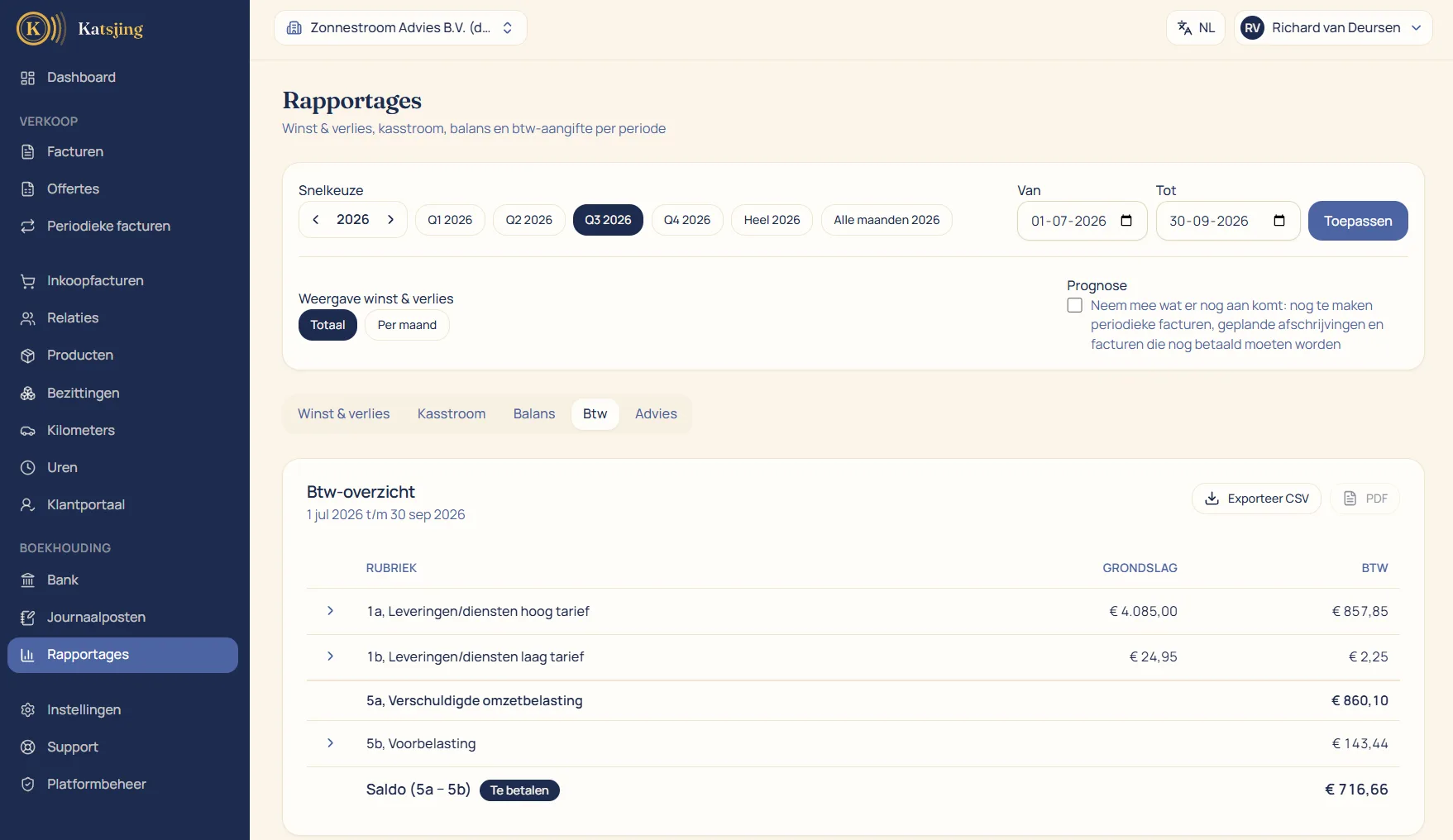
The boxes of your return, already filled in
The VAT overview follows the return you file with the Dutch tax authority (Belastingdienst): your revenue and VAT at 21% in box 1a, at 9% in 1b, revenue at 0% or with VAT reverse-charged in 1e, and the VAT on your costs as input tax in 5b. At the bottom is the balance: what you have to pay or get back. You copy those amounts into Mijn Belastingdienst Zakelijk, the tax authority's business portal; Katsjing does not file the return itself.
Every amount traceable
Behind every amount in the overview are the invoices and cost entries it is made up of. If a box doesn't match what you expect, you click through and see per invoice which VAT was counted in that quarter. That way you find a wrong rate or a forgotten receipt before you file the return rather than after.
Small businesses scheme and special rates
If you use the small businesses scheme, Katsjing leaves the VAT off your invoices, adds the required notice and keeps track of how close you are to the revenue threshold. If you work with reverse-charged VAT, exempt revenue or the margin scheme for second-hand goods, they end up in the right box without you having to do the maths.
Frequently asked questions
- Does Katsjing file my VAT return?
- No. Katsjing calculates all the boxes and has them ready, and you enter them in Mijn Belastingdienst Zakelijk. That takes a few minutes per quarter.
- Will I get a heads-up when the return is due?
- Yes. Katsjing reminds you of the quarter's VAT deadline. If you use the small businesses scheme you won't get that reminder, because then you don't file a return.
- What if I only enter a receipt later?
- Then its VAT lands in the quarter of the invoice date. If you have already filed the return for that quarter, you will see the difference and correct it, for a small amount in your next return.
Useful alongside this
VAT calculatorIncluded in every paid plan
There is no basic version with half a feature list: every feature above is included in both paid plans. What differs is how much of it you use: the number of sales invoices per month, users, trade names and automatically read receipts. ZZP is for sole traders; Onderneming has room everywhere and lets you switch off the Katsjing mention on your invoices. You can also start for free, with a monthly limit on the number of invoices.
See the plans