
Time tracking
Hours that flow through to your invoice
You log hours per contact or project, with a rate Katsjing remembers. At the end of the month you select the unbilled hours and Katsjing turns them into an itemised invoice in one go, so your customer sees exactly what they are paying for.
What you can do with it
- Enter hours by day or by week, with a description your customer understands.
- See per project what has been billed and what is still open.
- An hourly rate per contact or per project, so you never bill the wrong one.
- The hourly rate can differ per team member.
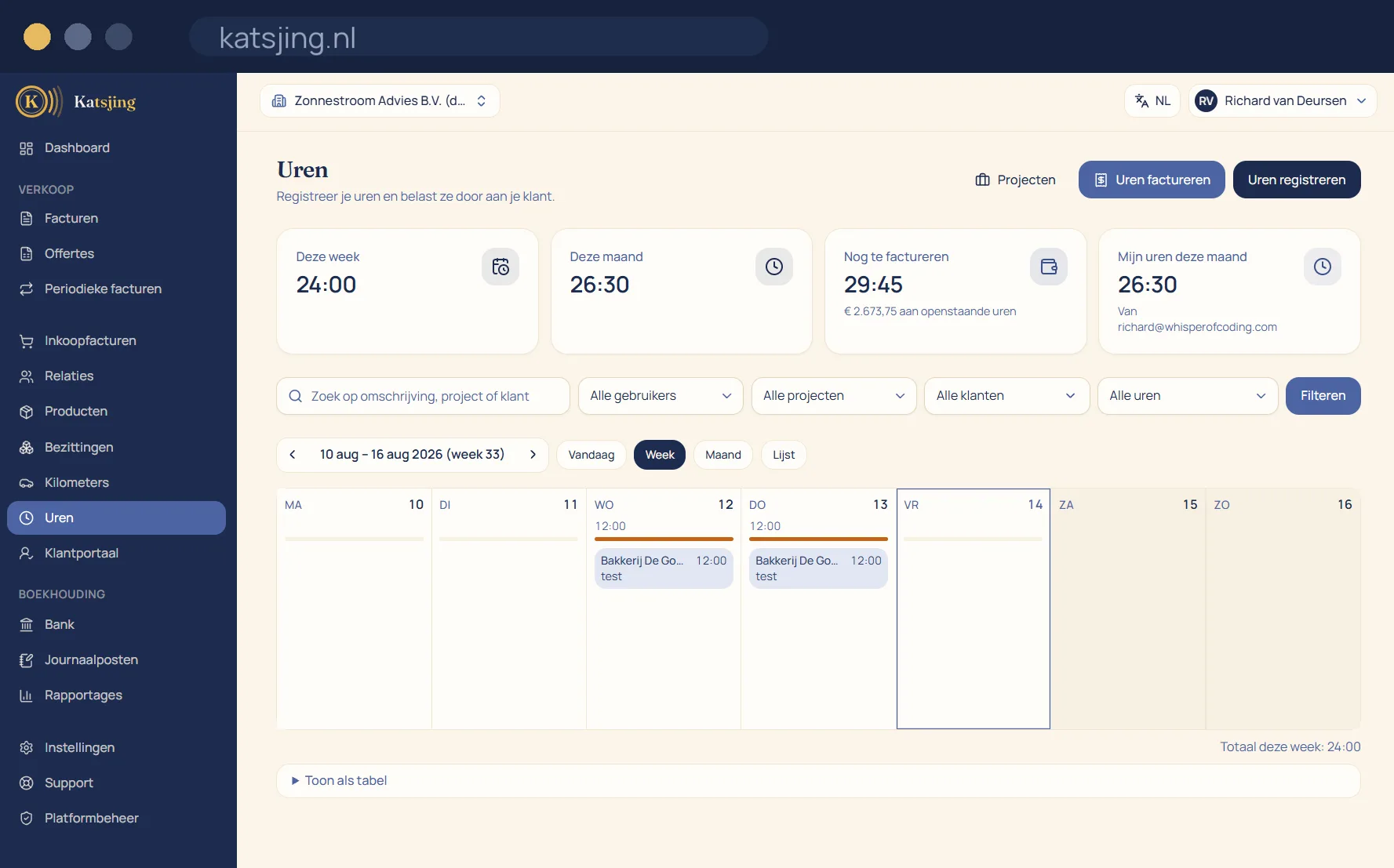
From hours to invoice in one step
You log your hours per customer or project, with a description your customer understands. At the end of the month you pick the hours that haven't been billed yet and Katsjing turns them into an invoice, with the date, the description and the rate on every line. What has been billed is marked afterwards, so you never charge for an hour twice, or not at all.
A budget per project
Give a project a budget in hours or in euros, and Katsjing shows with a bar how much has been used. From 80% you get a warning, so you can talk to your customer about extra work in good time. The budget blocks nothing: you can simply keep working and invoicing.
Your hours criterion at a glance
For the self-employed allowance you have to work 1,225 hours a year on your business, and indirect hours such as admin and acquisition count too. The advice overview in Katsjing sets your logged hours against that threshold, so you can already see during the year whether you will make it.
Frequently asked questions
- Can I log hours I don't bill?
- Yes. Mark them as non-billable, for example for your admin or acquisition. They then count towards your hours criterion, but don't end up on an invoice.
- Can colleagues log hours too?
- Yes, if you invite them to your books. The hourly rate can differ per team member, and per project you see who worked on it and for how long.
- Can I invoice hours automatically every month?
- Yes. A recurring invoice can use a customer's unbilled hours as its source, so the monthly invoice is ready by itself.
Useful alongside this
Hourly rate calculatorIncluded in every paid plan
There is no basic version with half a feature list: every feature above is included in both paid plans. What differs is how much of it you use: the number of sales invoices per month, users, trade names and automatically read receipts. ZZP is for sole traders; Onderneming has room everywhere and lets you switch off the Katsjing mention on your invoices. You can also start for free, with a monthly limit on the number of invoices.
See the plans