
Contacts and the Chamber of Commerce link
Every customer and supplier on their own card
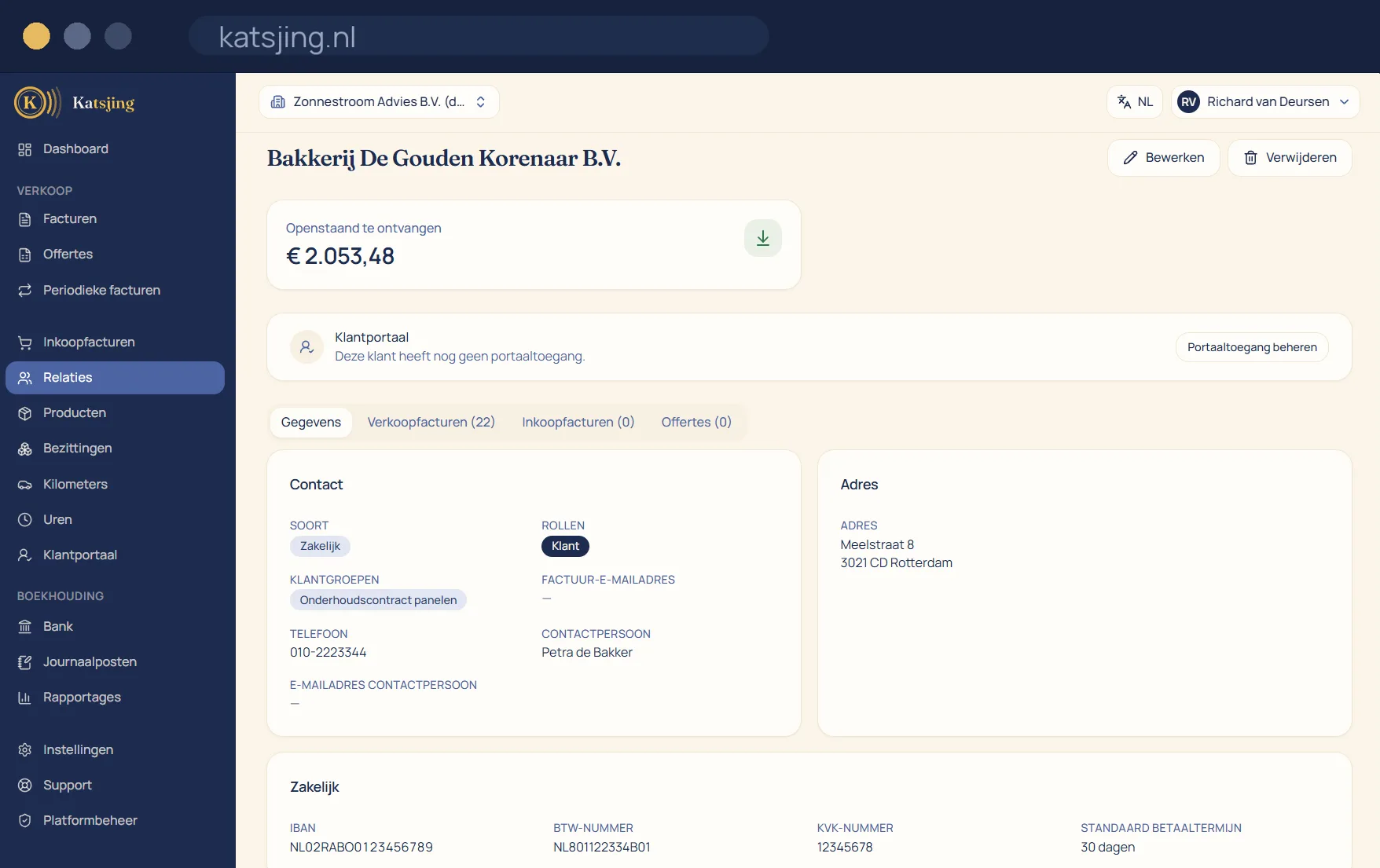
Adding a contact does not take ten fields: you type the company name or the Chamber of Commerce number, Katsjing searches the Dutch trade register and copies the official details. No typos in addresses and always the correct legal name on your invoice.
What you can do with it
- Search the trade register by name or registration number and copy the details in one click.
- VAT number, contact person, payment term, agreed rate and Peppol address per contact.
- The full history under each contact: quotes, invoices, hours and payments.
- See who pays late, before you take on the next job.
Two email addresses, and that's on purpose
Every contact has an invoicing address and a contact person's address. Invoices, quotes, reminders and access to the customer portal always go to the invoicing address. The contact person's address is for the rest of your correspondence and never receives an invoice unasked. That way an invoice reaches the accounts department and not your contact person's private inbox.
See who pays slowly
For each contact, Katsjing looks at the actual payment dates over the past twelve months and tells you whether that customer pays on time, a little late or late, with a suggestion to go with it: keep an eye on them, or consider payment in advance. The verdict only comes after at least three payments, so one late invoice doesn't label your customer straight away.
Follow-up, labels and duplicate contacts
With every contact you keep notes and tasks, for example to call about a quote after a week; you see today's tasks on your dashboard. With labels in six colours you group customers and suppliers and filter your list. If a customer appears twice, you merge the two cards: all invoices, quotes and payments then come under one contact, without anything being booked again.
Frequently asked questions
- How does searching the trade register work?
- Type a company name or the eight-digit Chamber of Commerce number, and Katsjing searches the Dutch trade register (Handelsregister) with you. You copy the official details in one click.
- What does my customer see in the customer portal?
- Their own invoices and quotes. They can pay there, give a direct debit mandate and accept a quote. Logging in works with their email address and a code, without a password.
- Does Katsjing automatically email my customer about tasks?
- No. Tasks and notes are just for you; your customer doesn't notice a thing.
Included in every paid plan
There is no basic version with half a feature list: every feature above is included in both paid plans. What differs is how much of it you use: the number of sales invoices per month, users, trade names and automatically read receipts. ZZP is for sole traders; Onderneming has room everywhere and lets you switch off the Katsjing mention on your invoices. You can also start for free, with a monthly limit on the number of invoices.
See the plans