
Creating and sending invoices
The heart of Katsjing
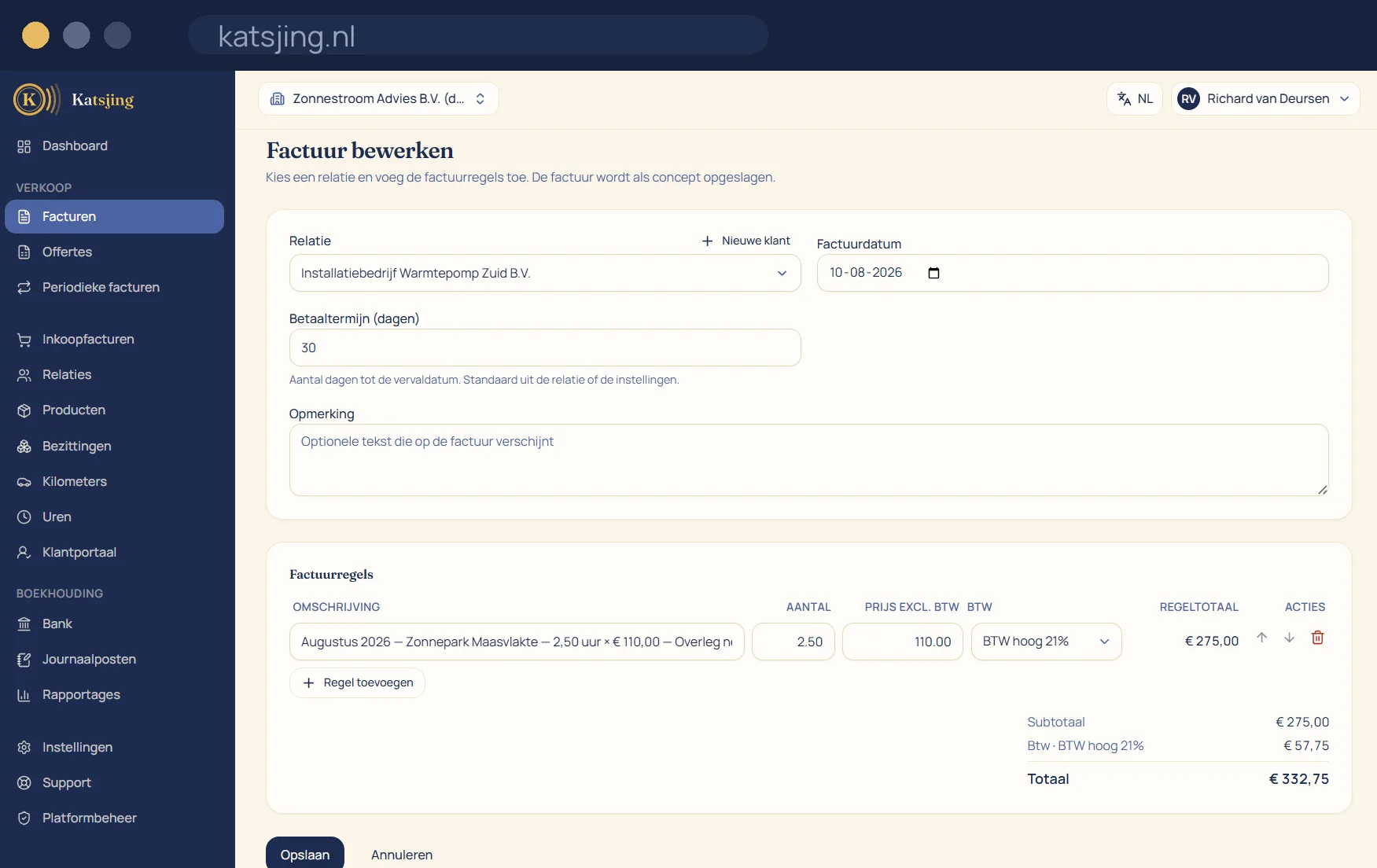
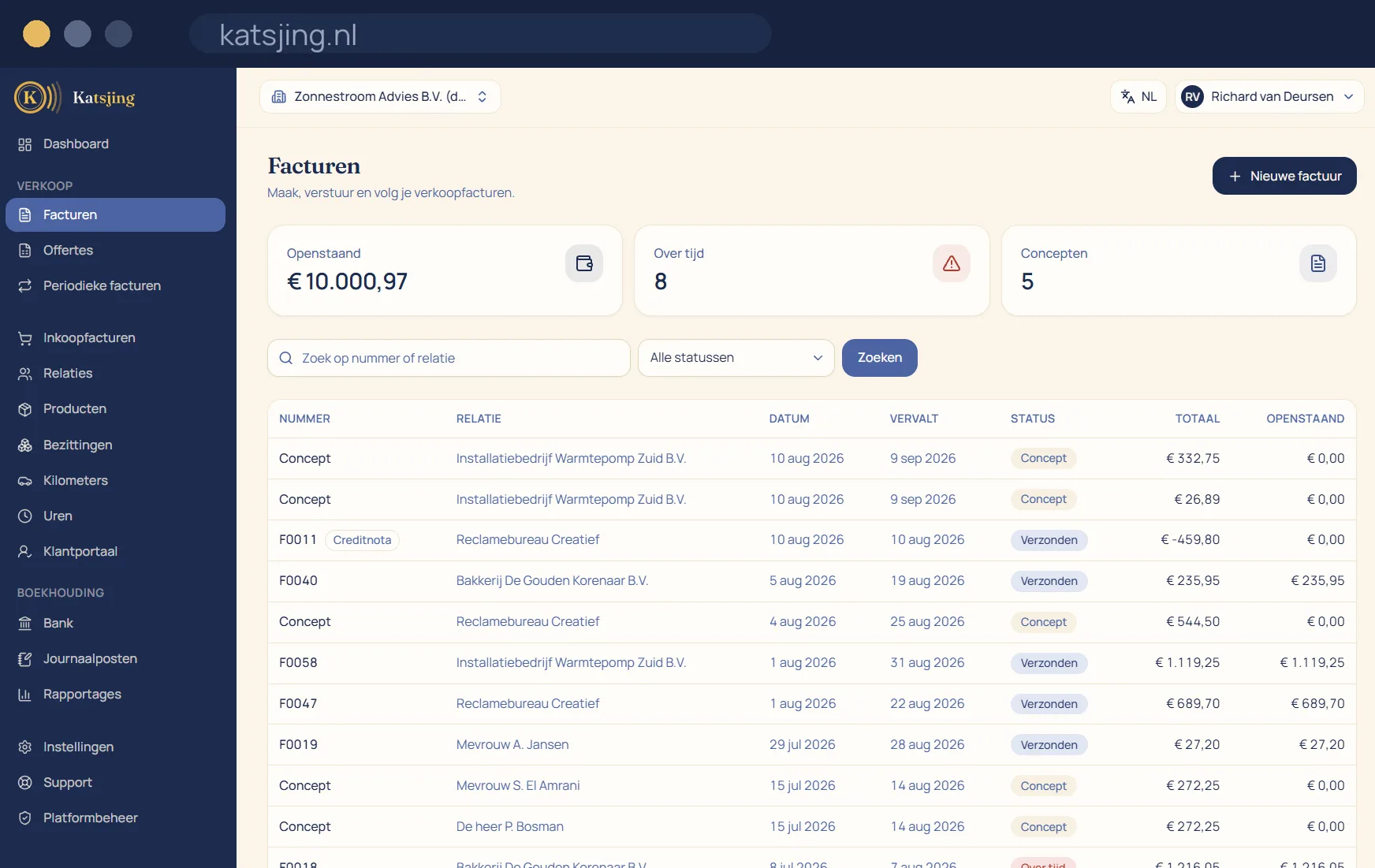
You pick a contact, add your lines and send the invoice as a PDF by email or as an e-invoice over Peppol. Katsjing tracks whether an invoice has been sent, viewed and paid.
What you can do with it
- Save standard lines and rates, so a recurring invoice is a matter of clicking.
- Automatic, gapless invoice numbering that meets the Dutch tax authority's requirements.
- VAT rates per line: 21%, 9%, 0%, exempt or reverse-charged.
- Send reminders without having to write the awkward email yourself.
An invoice that meets the rules, without you having to know them
Whatever is legally required on an invoice, Katsjing adds by itself: your Chamber of Commerce (KvK) number and VAT ID, a sequential invoice number, the invoice date, the VAT broken down per rate and, where it applies, “VAT reverse-charged” with your customer's VAT ID or the small businesses scheme notice. Those lines sit outside the layout, so whatever design you choose, you cannot remove them by accident.
From sending to paid
You send the invoice as a PDF by email, and as an e-invoice too if your customer can receive one. Katsjing shows whether the invoice has been opened and whether it has been paid. On the paid plans your customer pays online straight away with iDEAL, through your own Mollie account, so the money comes directly to you. If a payment doesn't come in, Katsjing sends a reminder and then a final demand, with the statutory collection costs if you switch them on.
Recurring work and corrections
Send the same invoice every month? Set it up once as a recurring invoice. Katsjing creates it on the day you choose and sends it for you. If something is wrong, you create a credit note or edit the invoice: every change after sending is recorded, so your books stay traceable.
Frequently asked questions
- How many invoices can I send per month?
- That depends on your plan. The free plan has a monthly limit, the ZZP plan a higher one, and Onderneming has no limit. The current numbers are on the pricing page.
- Can I use my own branding?
- Yes. In the document designer you set your logo, colours and font, and move the parts of the invoice to wherever you want them. Quotes and reminders get the same design.
- Can I still change an invoice after it has been sent?
- Yes, with a clear warning. The bookkeeping is then rebuilt and the change is recorded. If the invoice has already been paid, or booked by your customer, a credit note is usually the cleaner route.
Useful alongside this
Create an invoice for freeIncluded in every paid plan
There is no basic version with half a feature list: every feature above is included in both paid plans. What differs is how much of it you use: the number of sales invoices per month, users, trade names and automatically read receipts. ZZP is for sole traders; Onderneming has room everywhere and lets you switch off the Katsjing mention on your invoices. You can also start for free, with a monthly limit on the number of invoices.
See the plans