
Reporting and export
Everything out, whenever you want
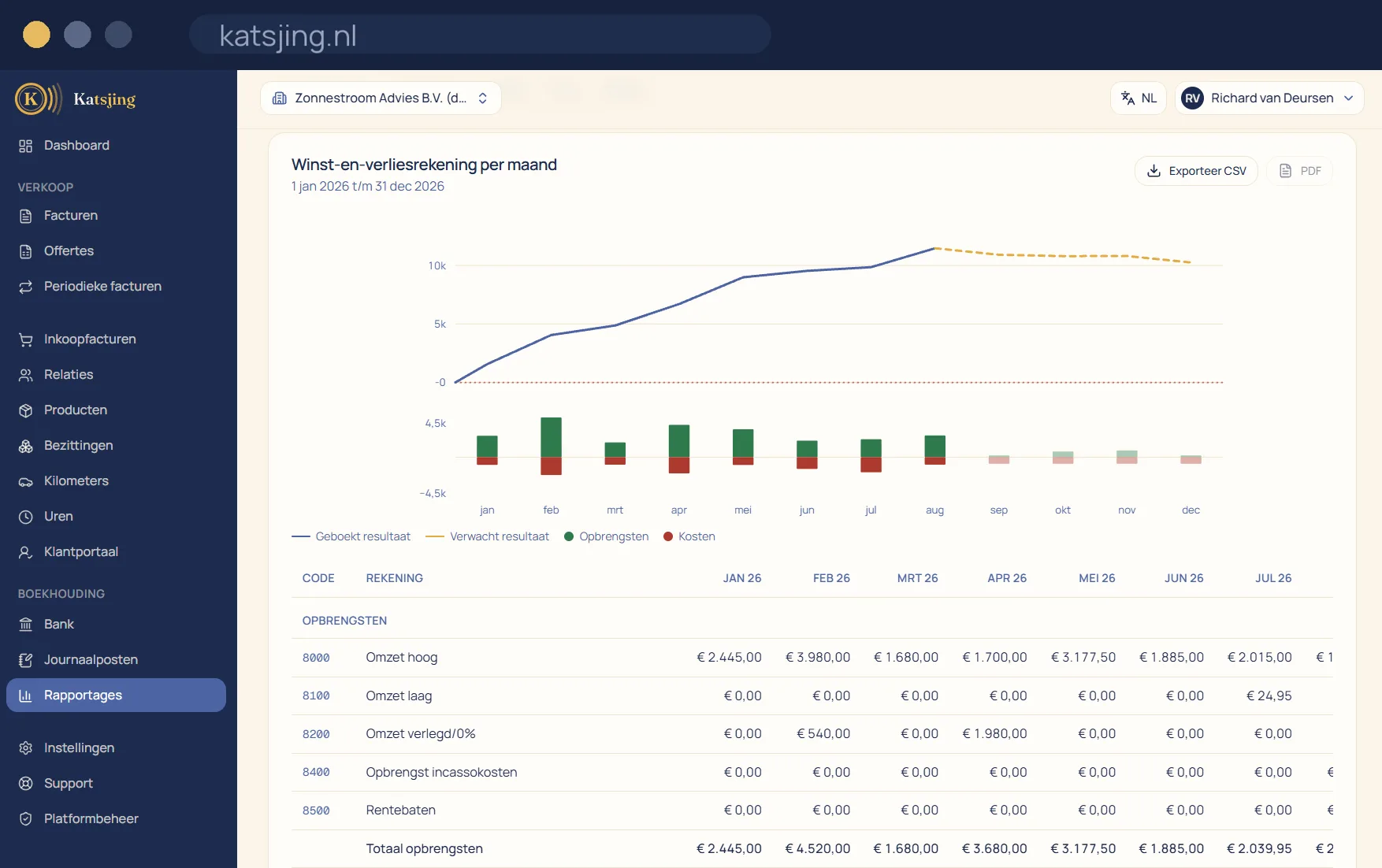
Profit and loss, balance sheet, VAT and outstanding items, over the period you choose, with or without what is still coming. And when your bookkeeper or accountant looks along, you export the lot in one go, attachments included.
What you can do with it
- Export to Excel or CSV, plus a PDF set of your invoices and receipts.
- No lock-in: your data is entirely yours at any moment.
The audit file for your accountant
For each financial year you download an audit file in the standard XAF 3.2 format, which accountants' bookkeeping software can read. If you give your accountant read-only access, they can fetch the audit file themselves. Downloading twice over the same figures gives exactly the same file.
Closing your year properly
At the end of the year you close the financial year: the result goes to your equity and the year is locked, so nothing in it changes any more. Your profit and loss statement keeps showing the actual result. If you start with Katsjing partway through, you enter an opening balance, with a check that shows whether it balances.
Your data outside Katsjing too
Every month Katsjing can automatically put a backup in your own storage: OneDrive, Google Drive, Dropbox, a WebDAV server such as Nextcloud, or S3-compatible storage. It contains your data as CSV, your invoices as PDF, your VAT overviews and the audit files. Need a revenue or profit statement, for example for renting a home or a mortgage? Katsjing creates one as a PDF with a verification code.
Frequently asked questions
- Is a statement from Katsjing an accountant's report?
- No, and it says so on it. It is an overview of your own figures with a verification code, so the recipient can see it hasn't been tampered with.
- Can I reopen a closed year?
- Only the most recently closed year, and only the owner of the books can do it. It is recorded, so you can always see who did it.
- Is the backup included in every plan?
- Yes, in the free plan too. Your data is yours, even if you ever leave.
Included in every paid plan
There is no basic version with half a feature list: every feature above is included in both paid plans. What differs is how much of it you use: the number of sales invoices per month, users, trade names and automatically read receipts. ZZP is for sole traders; Onderneming has room everywhere and lets you switch off the Katsjing mention on your invoices. You can also start for free, with a monthly limit on the number of invoices.
See the plans